Free resources for makers
Home / AI for Makers / Create Studio-Style Candle Images
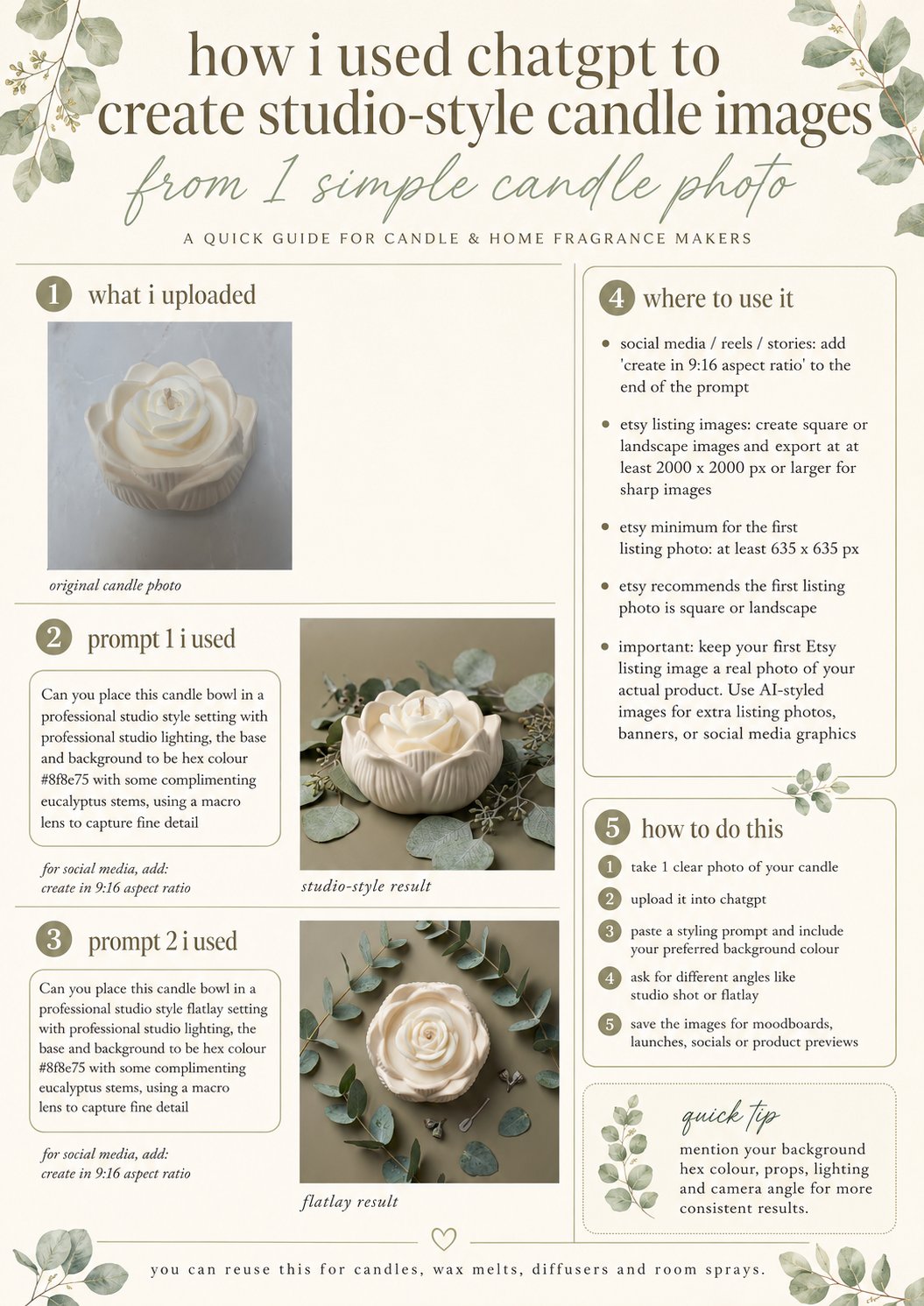
One-page guide · reuse for candles, wax melts, room sprays & diffusers
AI for Makers · Free guide
Create studio-style candle images
From one simple candle photo.
One clear photo of your candle can become polished, studio-style images — no studio needed. This guide shows the exact ChatGPT prompts to restyle the setting, lighting and background while keeping your real product looking like itself.
How to do this
- 1.Take one clear photo of your candle.
- 2.Upload it into ChatGPT.
- 3.Paste a styling prompt and include your preferred background colour.
- 4.Ask for different angles like a studio shot or flatlay.
- 5.Save the images for moodboards, launches, socials or product previews.
Where to use it
- ✦ Social media reels, stories and posts
- ✦ Extra Etsy listing photos, banners and previews
- ✦ Moodboards and launch graphics
Quick tip: mention your background hex colour, props, lighting and camera angle for more consistent results.
DownloadFree · 1-page guide
Keep your first Etsy listing image a real photo of your actual product — use AI-styled images for extras.